Runner game created in Kotlin and for Android Mobile systems.
Project Goal & Deliverable
The ideal product for this project is a Runner Game created from the Kotlin programming language. At this point, it is expected that you are well versed to how to use Kotlin and how to use it for Android Programming. This post is more about extra knowledge, namely, SQLite, Threads, and Glide.
Jump to: Code and Logic | DBHelper | Main | Scoreboard | Game | GameLogic
Game Mechanics
Jump: The player will be able to jump through obstacles as a form of player control.
Obstacle: Obstacles on the road will randomly spawn blocking the player. If the player touches an obstacle the game ends.
Money & Point System: Money on the road will randomly spawn for the player to pick up. If the player touches a money 1 point will be added to the player’s score.
Scoreboard: After the game ends, the player will be able to record their score with their name.
Technologies Used
Kotlin Programming Language is designed to be a lightweight version of the Java Programming language specifically designed for mobile android app development. While being based on Java it also utilizes JVM and Java Class Library. The recommended IDE to use for this language is IntelliJ IDEA. This being a programming language based on Java we will also compare differences on how syntax on these 2 differ
Android Studio is the official development environment for Mobile Android App Development. This IDE is officially supported by Google as well as based on the IntelliJ IDEA so importing assets and source files is a breeze.
SQLite is a lightweight SQL solution for quick database storage of information. It is a library that utilizes C to function as an embedded database. Generally follows PostgreSQL syntax but does not enforce type checking.
Program: Code and Logic
Unlike the first blog, we will go straight to android programming in this stage utilizing the same kind of techniques and knowledge as before. Android Studio will be used in this part.
Jump to: Resource setup | Image resources | Android Manifest
Resources setup:
build.gradle
Under Gradle Scripts in build.gradle add in the dependencies, build and sync:
implementation("org.jetbrains.kotlinx:kotlinx-coroutines-android:1.3.9")
implementation ("com.github.bumptech.glide:glide:4.11.0") {
exclude group: "com.android.support"
}
themes.xml
Under app/res/values/themes open both themes files, add these tags:
<item name="windowActionBar">false</item>
<item name="windowNoTitle">true</item>
<item name="android:windowFullscreen">true</item>
Image resources

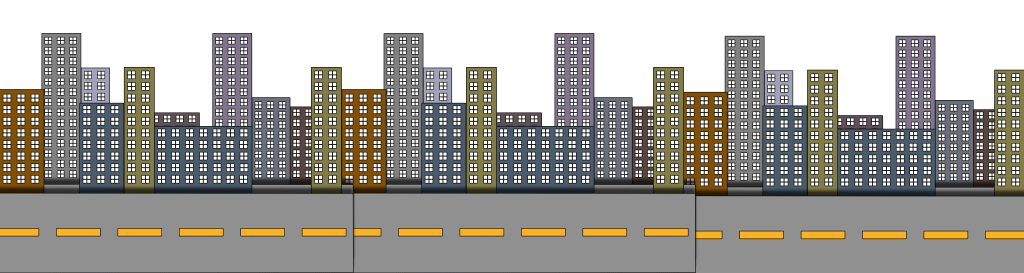
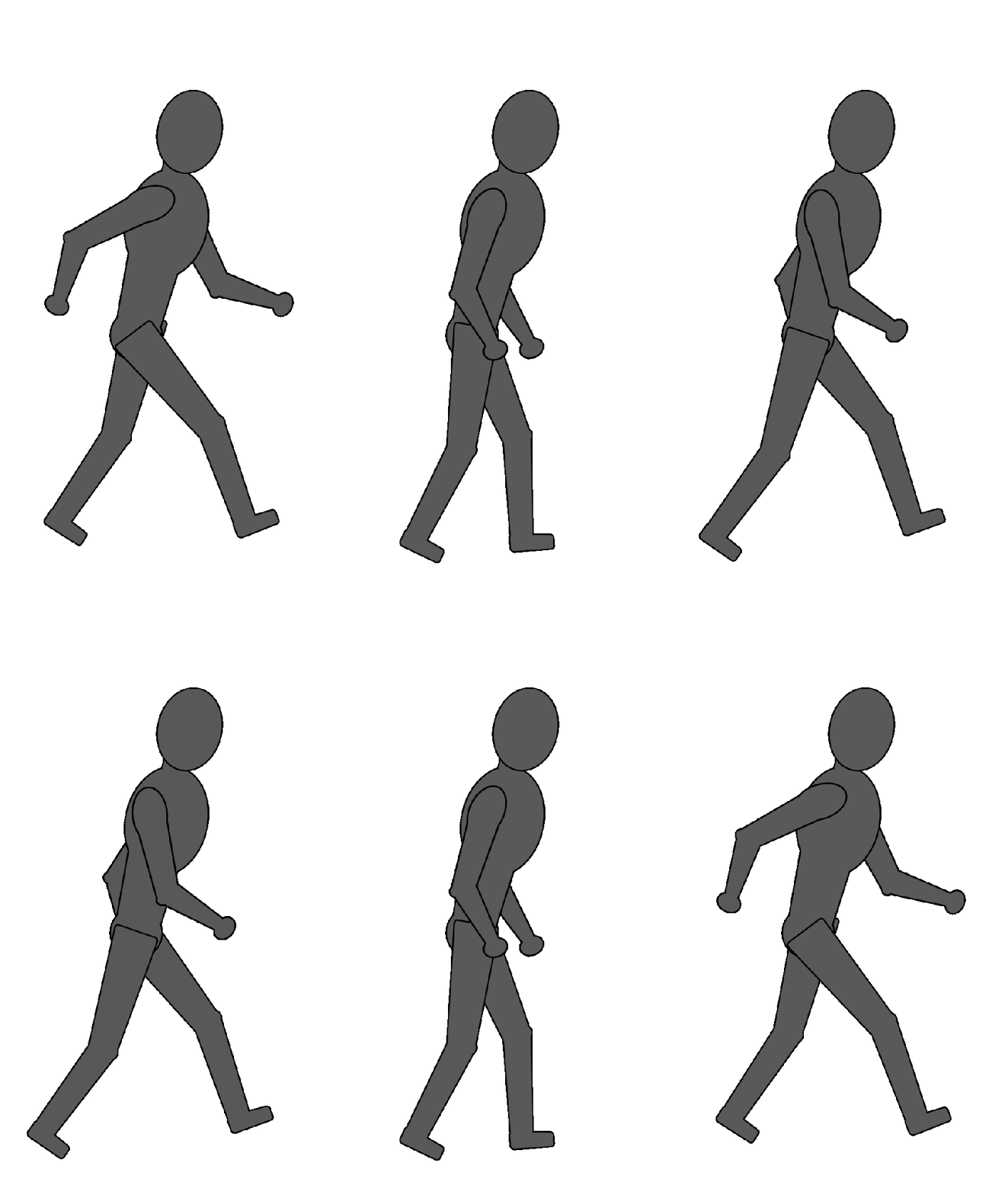

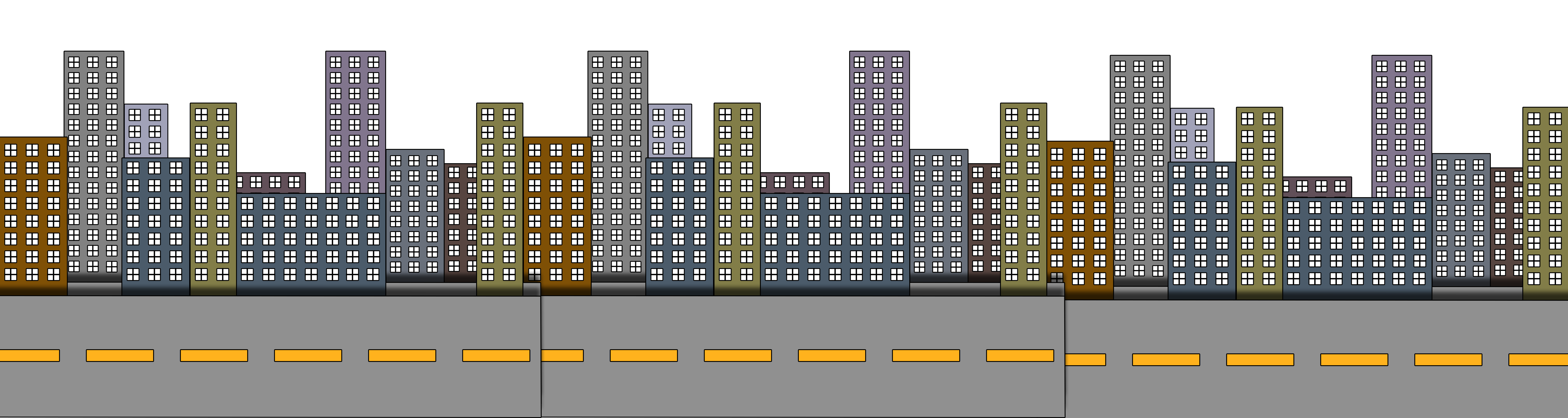
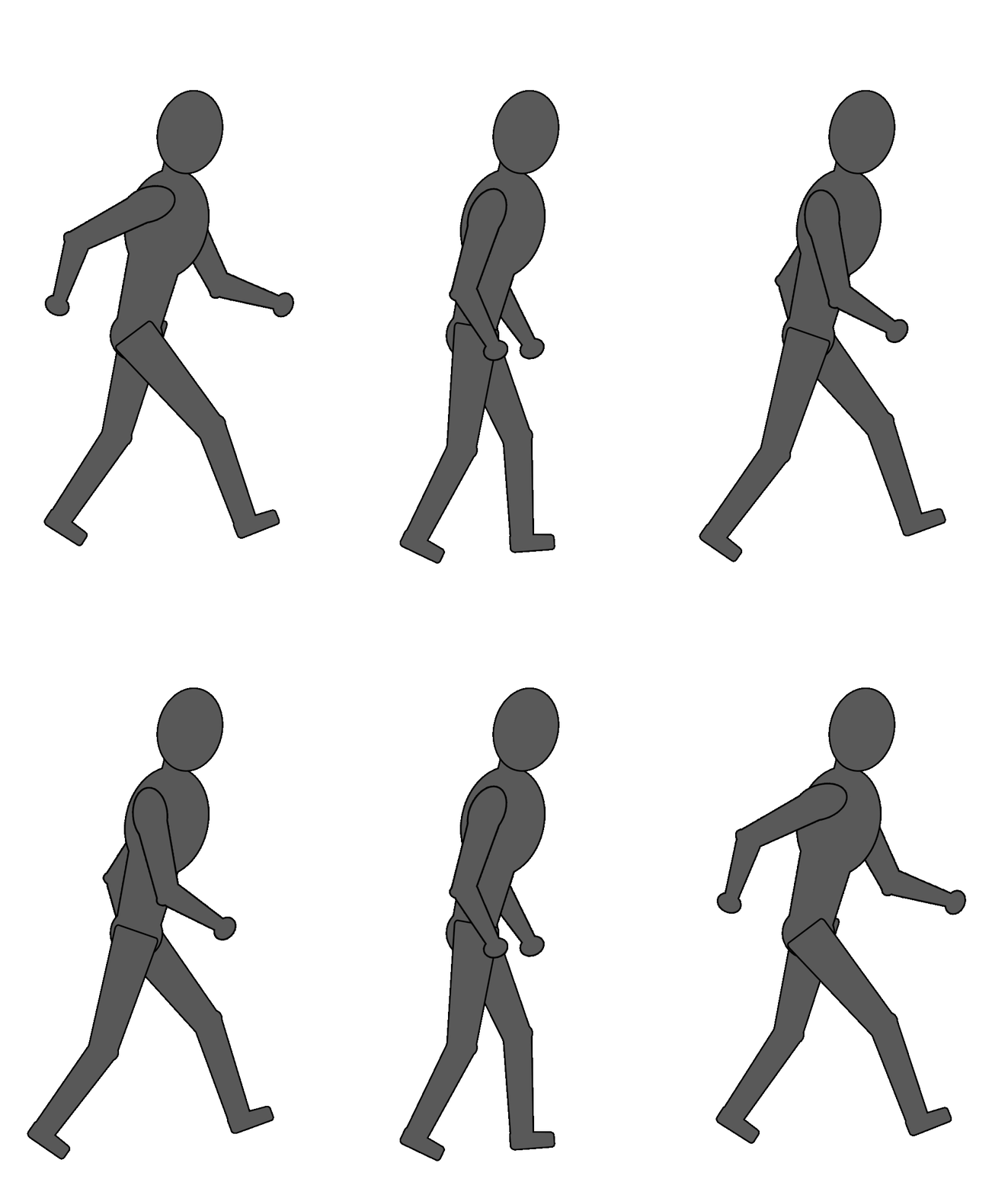
Download the images above and go to app/res/drawable and drag and drop all files in the zip file.
bg_scroll.xml
Animation for the background scrolling. Go to app/res/anim/ and create bg_scroll.xml
<?xml version="1.0" encoding="utf-8"?>
<set xmlns:android="http://schemas.android.com/apk/res/android">
    <translate
        android:fromYDelta="0.0"
        android:fromXDelta="0.0"
        android:toYDelta="0.0"
        android:toXDelta="-5000"
        android:duration="10000"
        android:repeatCount="infinite"
        />
</set>
AndroidManifest.xml
Under app/manifests open the manifest file add these tags in every activity tag that gets created:
android:screenOrientation="landscape"
This is how your AndroidManifest activities tags should look later after later activities are created:
<activity
            android:name=".Game"
            android:exported="false"
            android:screenOrientation="landscape" />
<activity
            android:name=".Scoreboard"
            android:exported="false"
            android:screenOrientation="landscape" />
<activity
            android:name=".MainActivity"
            android:exported="true"
            android:screenOrientation="landscape">
DBHelper.kt | Class
This class will be focused on utilizing SQLite to create table, add row, and get data.
Jump to: Documentation | Dissection
package neilgilbert.gallardo.burglarrunner
import android.content.ContentValues
import android.content.Context
import android.database.Cursor
import android.database.sqlite.SQLiteDatabase
import android.database.sqlite.SQLiteOpenHelper

class DBHelper(context: Context, factory: SQLiteDatabase.CursorFactory?) :
    SQLiteOpenHelper(context, DATABASE_NAME, factory, DATABASE_VERSION) {

    override fun onCreate(db: SQLiteDatabase) {
        val query = ("CREATE TABLE " + TABLE_NAME + " ("
                + ID_COL + " INTEGER PRIMARY KEY, " +
                NAME_COl + " TEXT," +
                SCORE_COL + " INTEGER" + ")")

        db.execSQL(query)
    }

    override fun onUpgrade(db: SQLiteDatabase, p1: Int, p2: Int) {
        db.execSQL("DROP TABLE IF EXISTS " + TABLE_NAME)
        onCreate(db)
    }

    fun addScore(name : String, score : Int ){
        val values = ContentValues()
        values.put(NAME_COl, name)
        values.put(SCORE_COL, score)

        val db = this.writableDatabase
        db.insert(TABLE_NAME, null, values)
        db.close()
    }

    fun getScores(): Cursor? {
        val db = this.readableDatabase
        return db.rawQuery("SELECT * FROM " + TABLE_NAME + " ORDER BY " + SCORE_COL + " DESC", null)
    }

    companion object{
        private val DATABASE_NAME = "BurglarRunner"
        private val DATABASE_VERSION = 1
        val TABLE_NAME = "scoreboard"
        val ID_COL = "id"
        val NAME_COl = "name"
        val SCORE_COL = "score"
    }
}
Documentation
- onCreate()
- An overridden method from SQLiteOpenHelper. Will create the necessary table if not already created.
- onUpgrade()
- An overridden method from SQLiteOpenHelper. Will drop related the related tables and call on create
- addScore()
- Requires 2 parameters, one String for a name and an Integer for a score. Will add a new row in the scoreboard table based on the passed parameters.
- getScores()
- Will retrieve all rows from the scoreboard table.
Code dissected:
Executing a script
In the code db.execSQL or db.rawQuery() executes a script. This method from the SQLite library, execute the passed SQL script passed as parameter.

Inserting a row into the database
In the code the combination of the use of ContentValues and db.insert() inserts a row into the database. First initialize the ContentValues() variable use .put(COL_NAME, value) to place values in the initialized variable.

Finally, get the .writableDatabase and use .insert(TABLE_NAME, null, values) and pass the ContentValues variable to initiate the insert row in the database.

Main | Activity
This activity will mostly function as UI. There will be 2 buttons that will lead to starting the game or go to the scoreboard
activity_main.xml
<?xml version="1.0" encoding="utf-8"?>
<androidx.constraintlayout.widget.ConstraintLayout xmlns:android="http://schemas.android.com/apk/res/android"
    xmlns:app="http://schemas.android.com/apk/res-auto"
    xmlns:tools="http://schemas.android.com/tools"
    android:layout_width="match_parent"
    android:layout_height="match_parent"
    android:orientation="horizontal"
    tools:context=".MainActivity">

    <TextView
        android:id="@+id/textView2"
        android:layout_width="wrap_content"
        android:layout_height="wrap_content"
        android:text="Burglar Runner"
        app:layout_constraintBottom_toBottomOf="@id/toScoreboard"
        app:layout_constraintLeft_toLeftOf="parent"
        app:layout_constraintRight_toRightOf="parent"
        app:layout_constraintTop_toTopOf="parent"
        app:layout_constraintVertical_bias="0.44" />

    <Button
        android:id="@+id/toStartGame"
        android:layout_width="wrap_content"
        android:layout_height="wrap_content"
        android:layout_marginTop="37dp"
        android:text="Start Game"
        app:layout_constraintEnd_toEndOf="parent"
        app:layout_constraintStart_toStartOf="parent"
        app:layout_constraintTop_toBottomOf="@+id/textView2" />

    <Button
        android:id="@+id/toScoreboard"
        android:layout_width="wrap_content"
        android:layout_height="wrap_content"
        android:layout_marginTop="4dp"
        android:text="To Scoreboard"
        app:layout_constraintEnd_toEndOf="parent"
        app:layout_constraintHorizontal_bias="0.499"
        app:layout_constraintStart_toStartOf="parent"
        app:layout_constraintTop_toBottomOf="@+id/toStartGame" />

</androidx.constraintlayout.widget.ConstraintLayout>
MainActivity.kt
package neilgilbert.gallardo.burglarrunner

import android.content.Intent
import androidx.appcompat.app.AppCompatActivity
import android.os.Bundle
import android.widget.Button

class MainActivity : AppCompatActivity() {
    override fun onCreate(savedInstanceState: Bundle?) {
        super.onCreate(savedInstanceState)
        setContentView(R.layout.activity_main)

        val toScoreboard = findViewById<Button>(R.id.toScoreboard);
        toScoreboard.setOnClickListener {
            val intent = Intent(this, Scoreboard::class.java);
            startActivity(intent);
        }

        val toStartGame = findViewById<Button>(R.id.toStartGame);
        toStartGame.setOnClickListener {
            val intent = Intent(this, Game::class.java);
            startActivity(intent);
        }
    }
}
Scoreboard | Activity
This activity’s function will be mostly about displaying the scoreboard data. In this page there will also be button to start a new game again or go back to the main menu.
activity_scoreboard.xml
<?xml version="1.0" encoding="utf-8"?>
<androidx.constraintlayout.widget.ConstraintLayout xmlns:android="http://schemas.android.com/apk/res/android"
    xmlns:app="http://schemas.android.com/apk/res-auto"
    xmlns:tools="http://schemas.android.com/tools"
    android:layout_width="match_parent"
    android:layout_height="match_parent"
    android:orientation="horizontal"
    tools:context=".Scoreboard">

    <LinearLayout
        android:layout_width="match_parent"
        android:layout_height="match_parent"
        android:orientation="vertical">

        <TableRow
            android:layout_width="match_parent"
            android:layout_height="38dp">

            <androidx.constraintlayout.widget.ConstraintLayout
                android:layout_width="match_parent"
                android:layout_height="wrap_content">

                <Button
                    android:id="@+id/btnBack"
                    android:layout_width="wrap_content"
                    android:layout_height="wrap_content"
                    android:text="Back To Main Menu"
                    app:layout_constraintBottom_toBottomOf="parent"
                    app:layout_constraintEnd_toEndOf="parent"
                    app:layout_constraintHorizontal_bias="0.0"
                    app:layout_constraintStart_toStartOf="parent"
                    app:layout_constraintTop_toTopOf="parent"
                    app:layout_constraintVertical_bias="0.0" />

                <Button
                    android:id="@+id/btnRetr"
                    android:layout_width="wrap_content"
                    android:layout_height="wrap_content"
                    android:text="Play Again"
                    app:layout_constraintBottom_toBottomOf="parent"
                    app:layout_constraintEnd_toEndOf="parent"
                    app:layout_constraintHorizontal_bias="0.021"
                    app:layout_constraintStart_toEndOf="@+id/btnBack"
                    app:layout_constraintTop_toTopOf="parent"
                    app:layout_constraintVertical_bias="0.0" />
            </androidx.constraintlayout.widget.ConstraintLayout>
        </TableRow>

        <TableRow
            android:layout_width="match_parent"
            android:layout_height="match_parent">

            <TableLayout
                android:id="@+id/scoreBoard"
                android:layout_width="729dp"
                android:layout_height="361dp">

                <TableRow
                    android:layout_width="match_parent"
                    android:layout_height="match_parent">

                    <LinearLayout
                        android:layout_width="match_parent"
                        android:layout_height="match_parent"
                        android:orientation="horizontal">

                        <TextView
                            android:id="@+id/nameHead"
                            android:layout_width="wrap_content"
                            android:layout_height="wrap_content"
                            android:layout_weight="1"
                            android:text="Name" />

                        <TextView
                            android:id="@+id/scoreHead"
                            android:layout_width="wrap_content"
                            android:layout_height="wrap_content"
                            android:layout_weight="1"
                            android:text="Score" />
                    </LinearLayout>
                </TableRow>

            </TableLayout>
        </TableRow>

    </LinearLayout>

</androidx.constraintlayout.widget.ConstraintLayout>
Scoreboard.kt
Jump to: Documentation | Dissection
package neilgilbert.gallardo.burglarrunner

import android.annotation.SuppressLint
import android.content.Intent
import androidx.appcompat.app.AppCompatActivity
import android.os.Bundle
import android.widget.*

class Scoreboard : AppCompatActivity() {
    val db = DBHelper(this, null)

    override fun onCreate(savedInstanceState: Bundle?) {
        super.onCreate(savedInstanceState)
        setContentView(R.layout.activity_scoreboard)
        val scoreBoard = findViewById<TableLayout>(R.id.scoreBoard);
        refreshScoreboard(scoreBoard)

        findViewById<Button>(R.id.btnRetr).setOnClickListener {
            val intent = Intent(this, Game::class.java);
            startActivity(intent);
            finish()
        }
        findViewById<Button>(R.id.btnBack).setOnClickListener {
            finish()
        }
    }

    var scoreRows = arrayListOf<TableRow>();
    @SuppressLint("Range")
    fun refreshScoreboard(scoreboard : TableLayout){
        for(r in scoreRows)
        {
            scoreboard.removeView(r)
        }

        val cursor = db.getScores()
        cursor!!.moveToFirst()

        var tableRow = TableRow(this)
        var rowCols = LinearLayout(this)
        var nameCol = TextView(this)
        var scoreCol = TextView(this)
        rowCols.orientation = LinearLayout.HORIZONTAL;

        if(cursor.count>0){
            nameCol.text = cursor.getString(cursor.getColumnIndex(DBHelper.NAME_COl))
            scoreCol.text = cursor.getString(cursor.getColumnIndex(DBHelper.SCORE_COL))
        }

        rowCols.addView(nameCol)
        rowCols.addView(scoreCol)
        tableRow.addView(rowCols)

        scoreRows.add(tableRow)
        scoreboard.addView(tableRow)

        while(cursor.moveToNext()){
            tableRow = TableRow(this)
            rowCols = LinearLayout(this)
            nameCol = TextView(this)
            scoreCol = TextView(this)
            rowCols.orientation = LinearLayout.HORIZONTAL;

            nameCol.text = cursor.getString(cursor.getColumnIndex(DBHelper.NAME_COl))
            scoreCol.text = cursor.getString(cursor.getColumnIndex(DBHelper.SCORE_COL))
            rowCols.addView(nameCol)
            rowCols.addView(scoreCol)
            tableRow.addView(rowCols)

            scoreRows.add(tableRow)
            scoreboard.addView(tableRow)
        }
        cursor.close()
    }
}
Documentation
- refreshScoreboard()
- Takes a parameter of a table layout, initializes a db instance and retrieves all rows. After that it will use the cursor made from the getScores()
Code dissected:
Utilizing cursors from a DBHelper
First, initialize a variable that will utilize the return value from the DBHelper.

Next, make sure the cursor is at the first row with .moveToFirst().

Next, to get data from the cursor use .get<datatype>(), for this case .getString() will be enough for our purposes. To make sure the correct column is retrieved use .getColumnIndex() with the column name as parameter.

To iterate to the rest of the rows use .moveToNext() and do the same operations as stated before.

Each time a row is retrieved, initialize views as follows:
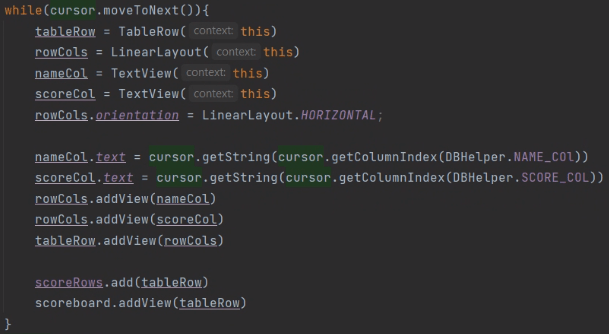
Game | Activity
This activity is where the game itself happens. Several things are happening here. There will be a helper class named GameLogic along the the backend Game. Several things are happening between these 2 classes, they will be responsible in displaying and updating the positions of the player, obstacle, and money. Also responsible in displaying the score. Responsible in handling conditions such as adding to the score if the player touches a money and ending the game if player touches an obstacle. Finally, responsible in prompting the user for a name and recording the score with the entered name.
activity_game.xml
<?xml version="1.0" encoding="utf-8"?>
<androidx.constraintlayout.widget.ConstraintLayout xmlns:android="http://schemas.android.com/apk/res/android"
    xmlns:app="http://schemas.android.com/apk/res-auto"
    xmlns:tools="http://schemas.android.com/tools"
    android:id="@+id/gameDisplay"
    android:layout_width="match_parent"
    android:layout_height="match_parent"
    tools:context=".Game">

    <ImageView
        android:id="@+id/bg"
        android:layout_width="2676dp"
        android:layout_height="700dp"
        android:layout_marginStart="100dp"
        app:layout_constraintBottom_toBottomOf="parent"
        app:layout_constraintEnd_toEndOf="parent"
        app:layout_constraintHorizontal_bias="0.062"
        app:layout_constraintStart_toStartOf="parent"
        app:srcCompat="@drawable/bgv2" />

    <LinearLayout
        android:layout_width="57dp"
        android:layout_height="26dp"
        android:layout_marginStart="16dp"
        android:layout_marginTop="16dp"
        android:orientation="horizontal"
        android:background="#E6919191"
        app:layout_constraintStart_toStartOf="parent"
        app:layout_constraintTop_toTopOf="parent">

        <TextView
            android:id="@+id/scrLbl"
            android:layout_width="wrap_content"
            android:layout_height="wrap_content"
            android:text="Score:" />

        <TextView
            android:id="@+id/scr"
            android:layout_width="wrap_content"
            android:layout_height="wrap_content"
            android:text="0" />

    </LinearLayout>

    <Button
        android:id="@+id/gamePrompt"
        android:layout_width="0dp"
        android:layout_height="0dp"
        android:backgroundTint="#00000000"
        android:text=" "
        app:layout_constraintBottom_toBottomOf="parent"
        app:layout_constraintEnd_toEndOf="parent"
        app:layout_constraintHorizontal_bias="0.0"
        app:layout_constraintStart_toStartOf="parent"
        app:layout_constraintTop_toTopOf="parent"
        app:layout_constraintVertical_bias="0.0"/>

</androidx.constraintlayout.widget.ConstraintLayout>
Game.kt
Jump to: Documentation | Dissection
package neilgilbert.gallardo.burglarrunner

import android.content.Intent
import androidx.appcompat.app.AppCompatActivity
import android.os.Bundle
import android.util.DisplayMetrics
import android.view.MotionEvent
import android.view.animation.AnimationUtils
import android.widget.Button
import android.widget.ImageView
import android.widget.TextView
import androidx.constraintlayout.widget.ConstraintLayout

class Game : AppCompatActivity() {
    var display : ConstraintLayout? = null;
    var scoreDisplay : TextView? = null;

    override fun onCreate(savedInstanceState: Bundle?) {
        super.onCreate(savedInstanceState)
        val game = GameLogic(this);
        setContentView(R.layout.activity_game)

        display = findViewById(R.id.gameDisplay)
        scoreDisplay = findViewById(R.id.scr)
        val displayMetrics = DisplayMetrics()
        windowManager.defaultDisplay.getMetrics(displayMetrics)
        game.setScreenDimensions(displayMetrics.widthPixels, displayMetrics.heightPixels)
        game.start()

        val gamePrompt = findViewById<Button>(R.id.gamePrompt)
        gamePrompt.setOnTouchListener { view, motionEvent ->
            // Task here
            when (motionEvent.action){
                MotionEvent.ACTION_DOWN -> {
                    println("input ON")
                    game.inputDown()
                }
                MotionEvent.ACTION_UP -> {
                    println("input OFF")
                    game.inputUp()
                }
            }
            true
        }

        val bg_scroll = AnimationUtils.loadAnimation(this, R.anim.bg_scroll)
        findViewById<ImageView>(R.id.bg).startAnimation(bg_scroll)
    }

    fun recordScore(pName : String, score : Int){
        DBHelper(this, null).addScore(pName, score)

        val intent = Intent(this, Scoreboard::class.java);
        startActivity(intent);
    }
    fun endSession(){
        finish()
    }
}
Documentation
- recordScore()
- Has 2 parameters for the name and score. Quickly initializes a DBHelper and evokes .addScore() utilizing the parameters. Finally, initializes a Scoreboard class and sends the user there to show the new record.
- endSession()
- Ends the current Game session.
Code dissected:
Ending an opened activity
Use finish() to end an opened activity

GameLogic.kt
Jump to: Documentation | Dissection
package neilgilbert.gallardo.burglarrunner

import android.app.AlertDialog
import android.content.Context
import android.content.DialogInterface
import android.os.Looper
import android.text.InputType
import android.view.View
import android.view.ViewGroup
import android.widget.EditText
import android.widget.ImageView
import android.widget.TextView
import androidx.constraintlayout.widget.ConstraintLayout
import com.bumptech.glide.Glide
import kotlinx.coroutines.delay
import kotlin.random.Random


class GameLogic(g : Game): Thread(){
    private var gameLoop = true;
    private val g = g;
    private var screenWidth = 0;
    private var screenHeight = 0;

    private val GAME_SPEED = 50;
    private var gameCounter = 0;
    private val SPAWN_SPEED = 25;
    private var spawnCounter = 0;


    private var player = ImageView(g)
    private var PLAYER_JUMPHEIGHT = 200;
    private var playerScore = 0;
    private var playerloc_x = 250;
    private var playerloc_y = 500;
    private val PLAYER_SIZES = 400;
    private var playerJump = false;

    private var obstacle = arrayListOf<ImageView>();
    private var obstacleXLocs = arrayListOf<Int>();
    private var obstacleYLocs = arrayListOf<Int>();
    private val OBS_FAIL_RAD = 10;
    private val OBS_LIMIT = 1;
    private val OBS_SIZES = 250;

    private var money = arrayListOf<ImageView>();
    private var moneyXLocs = arrayListOf<Int>();
    private var moneyYLocs = arrayListOf<Int>();
    private val MON_COLLECT_RAD = 10;
    private val MON_LIMIT = 1;
    private val MON_SIZES = 250;

    override fun run() {
        addPlayer()

        while (gameLoop)
        {
            gameCounter++;
            println("Game Loop RUNNING")

            // Check if update speed is valid
            if(gameCounter>0 && gameCounter%GAME_SPEED == 0){
                gameCounter = 0;
                spawnCounter++;

                // Spawn check
                if(spawnCounter>0 && spawnCounter%SPAWN_SPEED == 0){
                    spawnCounter = 0;
                    if(obstacle.size > 0){
                        if(MON_LIMIT > money.size){
                            if(Random.nextInt(0, 100) > 90){
                                addMoney()
                            }
                        }
                    }
                    if(OBS_LIMIT > obstacle.size){
                        if(Random.nextInt(0, 100) > 90){
                            addObstacle()
                        }
                    }
                }

                // OBSTACLE Method Calls
                updateObstaclePosition();
                if(checkIfObsCollided()){
                    removeObstacle(getCollidedObstacle())
                    endGame()
                }

                // MONEY Method Calls
                updateMoneyPosition();
                if(checkIfMonCollided()){
                    removeMoney(getCollidedMoney())
                    playerScore++;
                    g.runOnUiThread {
                        g.scoreDisplay!!.text = playerScore.toString();
                    }
                }
                for(mon in money)
                {
                    val monIndex = money.indexOf(mon)
                    if(moneyXLocs.get(monIndex) <= 0){
                        removeMoney(mon)
                    }
                }

                // PLAYER Method Calls
                updatePlayerPosition();
            }
        }
        recordScore()
    }

    /////// OBSTACLE Functions
    private fun addObstacle(){
        var obs = ImageView(g)
        obs.setImageResource(R.drawable.obstacle)
        obstacle.add(obs)
        obstacleXLocs.add(screenWidth)
        obstacleYLocs.add(playerloc_y)
        g.runOnUiThread {
            g.display!!.addView(obs)
            obs.layoutParams.width = OBS_SIZES;
            obs.layoutParams.height = OBS_SIZES;
        }
    }
    private fun removeObstacle(obs : View?){
        var obsIndex = obstacle.indexOf(obs)
        obstacle.removeAt(obsIndex)
        obstacleXLocs.removeAt(obsIndex)
        obstacleYLocs.removeAt(obsIndex)
        g.runOnUiThread {
            g.display!!.removeView(obs)
        }
    }
    private fun updateObstaclePosition(){
        for(obs in obstacle)
        {
            val obsIndex = obstacle.indexOf(obs)
            if(obstacleXLocs.get(obsIndex) > 0) {
                obstacleXLocs.set(obsIndex, obstacleXLocs.get(obsIndex)-1)
            } else {
                removeObstacle(obs);
                break;
            }

            obs.x = obstacleXLocs.get(obsIndex).toFloat();
            obs.y = obstacleYLocs.get(obsIndex).toFloat();
        }
    }
    private fun checkIfObsCollided() : Boolean{
        for(obs in obstacle)
        {
            if( (Math.abs(player.x-obs.x) <= OBS_FAIL_RAD) &&
                (Math.abs(player.y-obs.y) <= OBS_FAIL_RAD) ){
                return true;
            }
        }
        return false;
    }
    private fun getCollidedObstacle() : View?{
        for(obs in obstacle)
        {
            if( (Math.abs(player.x-obs.x) <= OBS_FAIL_RAD) &&
                (Math.abs(player.y-obs.y) <= OBS_FAIL_RAD) ){
                return obs;
            }
        }
        return null;
    }

    /////// MONEY Functions
    private fun addMoney(){
        var mon = ImageView(g)
        g.runOnUiThread {
            Glide.with(g).load(R.drawable.money).into(mon);
        }
        money.add(mon)
        moneyXLocs.add(screenWidth)
        moneyYLocs.add(playerloc_y)
        g.runOnUiThread {
            g.display!!.addView(mon)
            mon.layoutParams.width = MON_SIZES;
            mon.layoutParams.height = MON_SIZES;
        }
    }
    private fun removeMoney(mon : View?){
        var monIndex = money.indexOf(mon)
        money.removeAt(monIndex)
        moneyXLocs.removeAt(monIndex)
        moneyYLocs.removeAt(monIndex)
        g.runOnUiThread {
            g.display!!.removeView(mon)
        }
    }
    private fun updateMoneyPosition(){
        for(mon in money)
        {
            val monIndex = money.indexOf(mon)
            if(moneyXLocs.get(monIndex) > 0) {
                moneyXLocs.set(monIndex, moneyXLocs.get(monIndex)-1)
            } else {
                removeMoney(mon);
                break;
            }

            mon.x = moneyXLocs.get(monIndex).toFloat();
            mon.y = moneyYLocs.get(monIndex).toFloat();
        }
    }
    private fun checkIfMonCollided() : Boolean{
        for(mon in money)
        {
            if( (Math.abs(player.x-mon.x) <= MON_COLLECT_RAD) &&
                (Math.abs(player.y-mon.y) <= MON_COLLECT_RAD) ){
                return true;
            }
        }
        return false;
    }
    private fun getCollidedMoney() : View?{
        for(mon in money)
        {
            if( (Math.abs(player.x-mon.x) <= MON_COLLECT_RAD) &&
                (Math.abs(player.y-mon.y) <= MON_COLLECT_RAD) ){
                return mon;
            }
        }
        return null;
    }
    /////// PLAYER Functions
    private fun addPlayer(){
        g.runOnUiThread {
            Glide.with(g).load(R.drawable.burglar).into(player);
        }
        g.display!!.addView(player)
        player.layoutParams.width = PLAYER_SIZES;
        player.layoutParams.height = PLAYER_SIZES;
        player.x = playerloc_x.toFloat();
        player.y = playerloc_y.toFloat();
    }
    private fun updatePlayerPosition(){
        if(playerJump){
            if (Math.abs(player.y-playerloc_y.toFloat()) >= PLAYER_JUMPHEIGHT){
                playerJump = false;
            } else {
                player.y--;
            }
        } else {
            if (player.y >= playerloc_y.toFloat()){
                player.y = playerloc_y.toFloat()
            } else {
                player.y++;
            }
        }
    }

    /////// INPUT Functions
    fun inputDown() {
        playerJump = true;
    }
    fun inputUp() {
        playerJump = false;
    }

    /////// GAME Functions
    fun endGame(){
        gameLoop = false;
        println("Game Loop ENDED.")
    }
    fun recordScore(){
        if(playerScore > 0){
            g.runOnUiThread {
                val builder: AlertDialog.Builder = android.app.AlertDialog.Builder(g)
                builder.setTitle("Record Score?")

                val inPName = EditText(g)
                inPName.setHint("Enter Name")
                inPName.inputType = InputType.TYPE_CLASS_TEXT
                builder.setView(inPName)

                builder.setPositiveButton("OK", DialogInterface.OnClickListener { dialog, which ->
                    // Here you get get input text from the Edittext
                    g.recordScore(inPName.text.toString(), playerScore)
                    g.endSession()
                })
                builder.setNegativeButton("Cancel", DialogInterface.OnClickListener { dialog, which ->
                    dialog.cancel()
                    g.endSession()
                })

                builder.show()
            }
        } else {
            g.endSession()
        }
    }
    fun setScreenDimensions(width : Int, height : Int){
        screenWidth = width;
        screenHeight = height;
    }
}
Documentation
- run()
- Inherited from the Thread library. Starts the game and initiates the game loop calls the necessary methods for each loop.
- addObstacle()
- Adds necessary entries to the arrays obstacle, obstacleXLocs and obstacleYLocs. Finally adds the obstacle to the display in the app screen.
- removeObstacle()
- Removes necessary entries from the arrays obstacle, obstacleXLocs and obstacleYLocs. And removes obstacle from the display in the app screen.
- updateObstaclePosition()
- Updates the obstacle location on screen as well as updates the location in the entries in obstacleXLocs and obstacleYLocs.
- checkIfObsCollided()
- Checks if any obstacle has collided with the player
- getCollidedObstacle()
- Gets an obstacle that has collided with the player
- addMoney()
- Adds necessary entries to the arrays money, moneyXLocs and moneyYLocs. Finally adds the money to the display in the app screen.
- removeMoney()
- Removes necessary entries from the arrays money, moneyXLocs and moneyYLocs. And removes money from the display in the app screen.
- updateMoneyPosition()
- Updates the money location on screen as well as updates the location in the entries in moneyXLocs and moneyYLocs.
- checkIfMonCollided()
- Checks if any money has collided with the player
- getCollidedMoney()
- Gets a money that has collided with the player
- addPlayer()
- Adds a player to the display in the app screen and initializes the necessary
- updatePlayerPosition()
- Updates the player position on screen with respect to if the player input. If player input is true will simulate player jumping, if not will simulate falling or running on ground.
- inputDown()
- Primary player input to tick if player is jumping. Use this to initiate a jump.
- inputUp()
- Primary player input to tick if player is jumping. Use this to if player has ended the jump.
- endGame()
- Ends game and calls record score to record the playerScore.
- recordScore()
- Builds a custom prompt with a TextField and records the name with the score into the database if OK is selected.
- setScreenDimensions()
- Sets the screen dimensions of the playarea.
Code dissected:
Utilizing Kotlin Threads
First, make the class inherit the Thread class. Next, override the run() class.


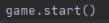
Finally in the class you want the thread to run call the class with the .start() method
Avoiding IllegalArgumentException
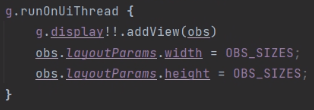
Normally if you attempt to manipulate the display int GameLogic Thread we created you would get the following exception:

In our special case we need the thread to manipulate elements in the game display so we need to utilize .runOnUiThread() like so:
Building a Custom Popup Dialog Box
To build a custom popup dialog: First, initialize the AlertDialog.Builder().

To set the prompt title use .setTitle().

To set the hint use .setHint().

To have a custom field initialize an EditText and pass it to the .setView().


To setup the OK and Cancel buttons, use .setPositiveButton() and .setNegativeButton().
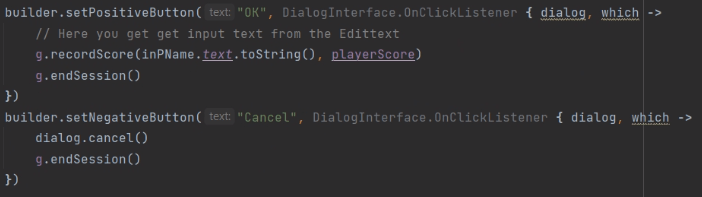
Finally to show the built prompt use .show()

Generating a Random number
To generate a random number, use Random.nextInt(). First parameter is the first possible value and the second parameter is the last possible value.

Utilizing the Glide library for .gif
To even use .gif in android apps you need to import the Glide Library. Add these lines in the build.gradle app level:

After building the gradle and synching the project, to add the .gif file to an ImageView, use Glide.with(this).load(Res_ID).into(imgView) like:

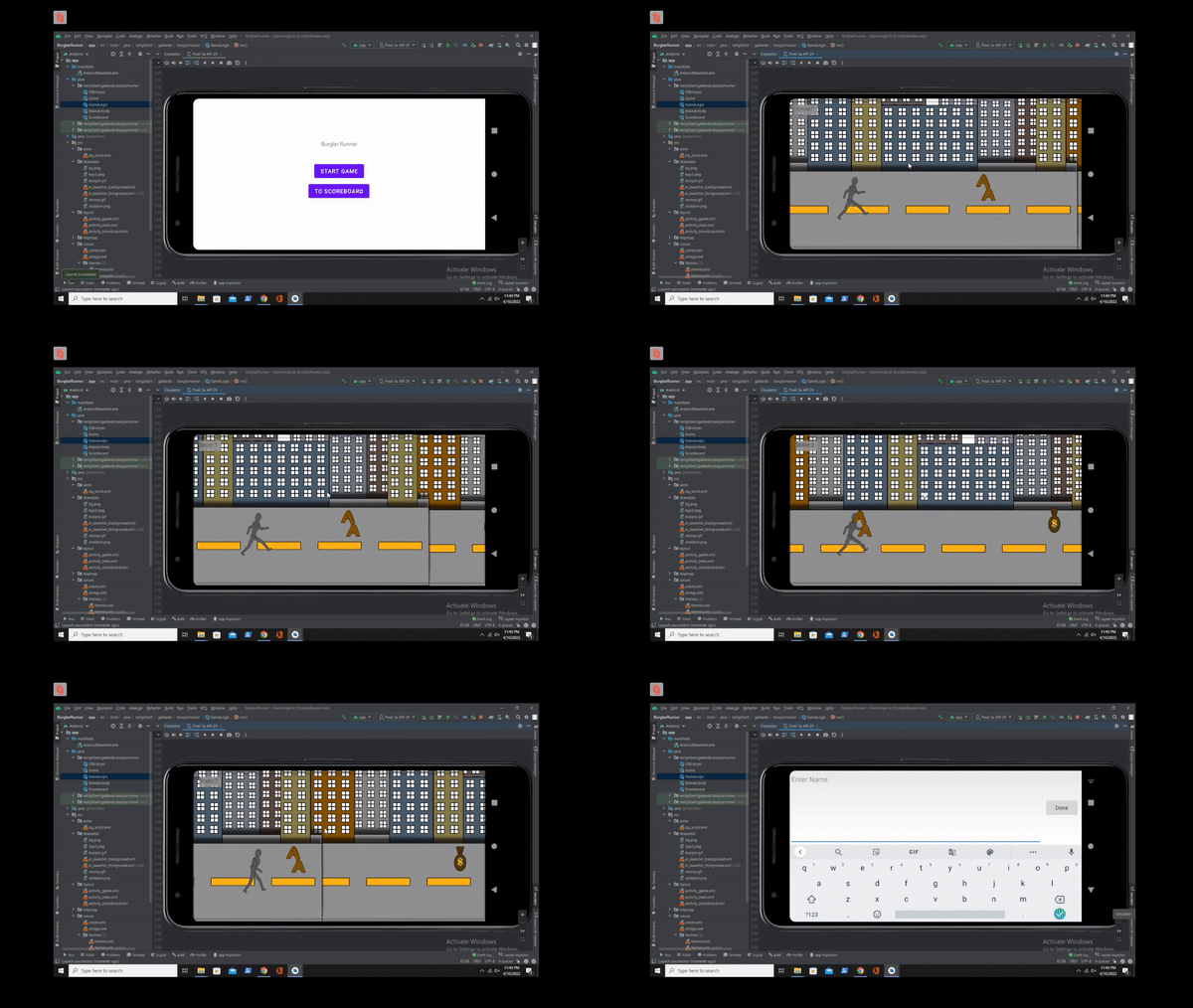
Final Output:
GitHub Repository: https://github.com/neilgilbertg/burglarrunner-kotlin
 Portfolio: NGG