
Disclaimer: This is not a step by step process on how to setup a Hand Reference Based Weapon Animation System. This is a general design document meant to show an alternative way of doing FPS Animations. Implementation is up to you.
Traditional FPS Animation Systems
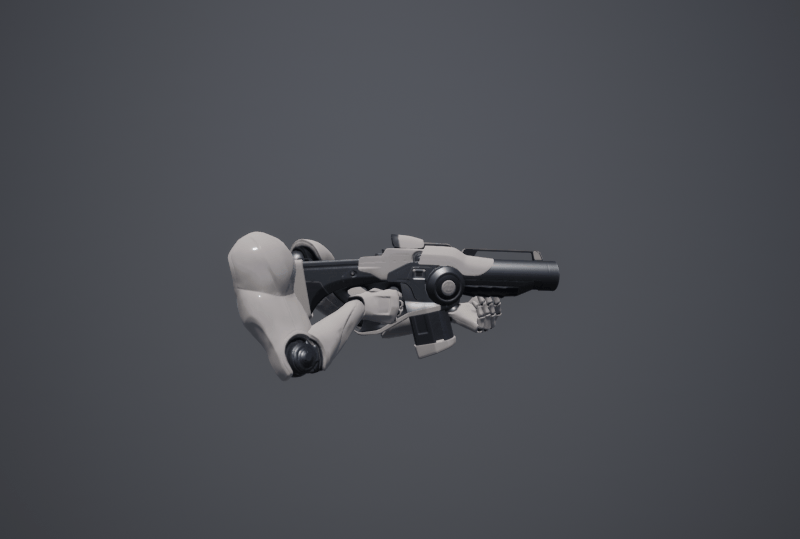
A FPS animation system would typical start with a mesh for the player. Usually, the hands are the only part of a player’s body rendered if the player in question is looking through the FPS camera. Then after that a socket is created in one of the hands (usually the in right hand hierarchy). The weapon is then attached to the created socket then Inverse Kinematic is used so the other hand is touching the gun.
Using Hand Reference For Weapon Animation
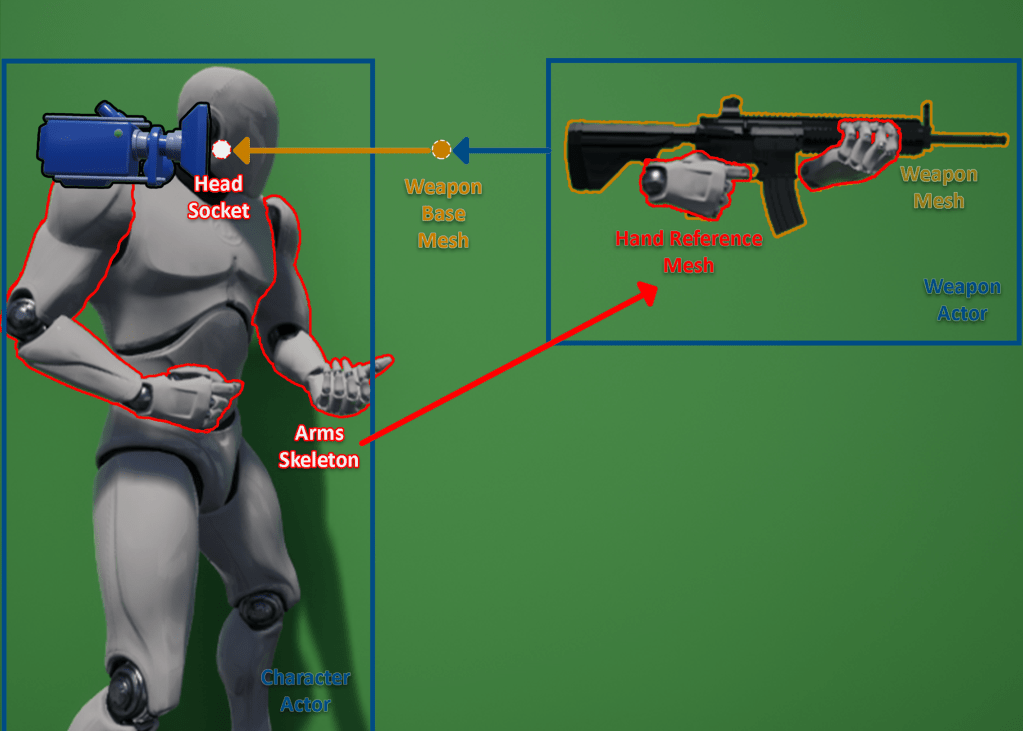
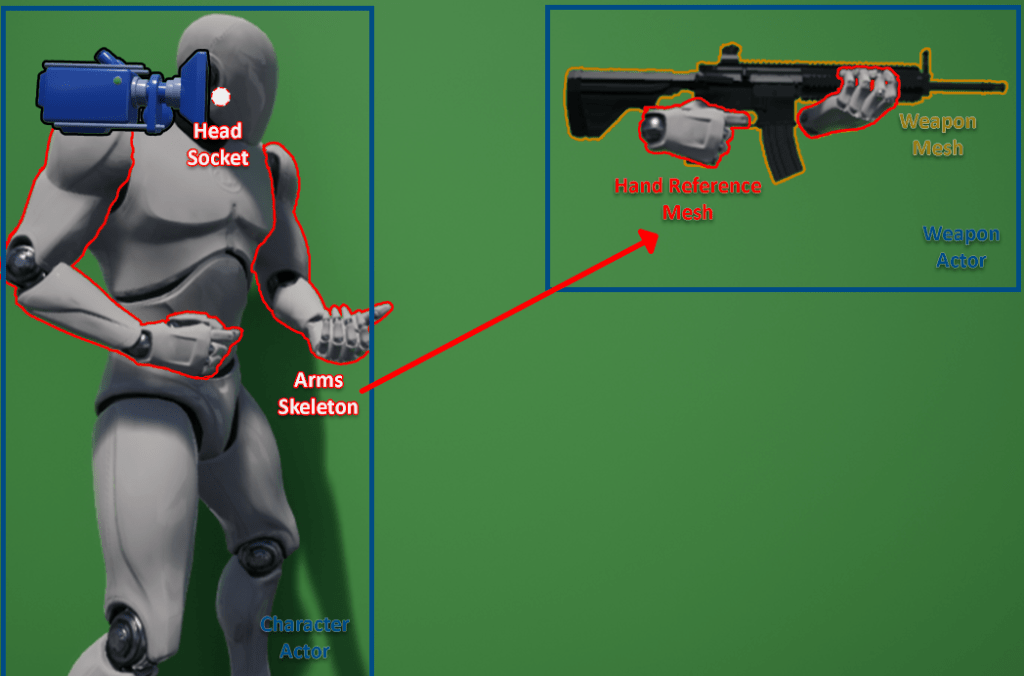
This is an unconventional implementation of an FPS animation system. It takes the 3rd person character actor combines it with a weapon actor then uses a combination of IK and Bone Transform to find the correct bone placement for the hand. This system is designed so what you see in First-Person is what everyone else see in Third-Person. Diagram below shows how this system generally works:
Components:
Weapon Actor
The weapon actor will contain the Weapon Mesh and Hands Reference Mesh. Mesh Component Hierarchy of these 2 should look like diagram on the right. Will also contain functions / events weapon control (i.e. Fire, Aim, etc.).
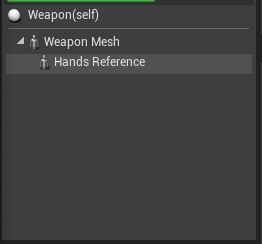
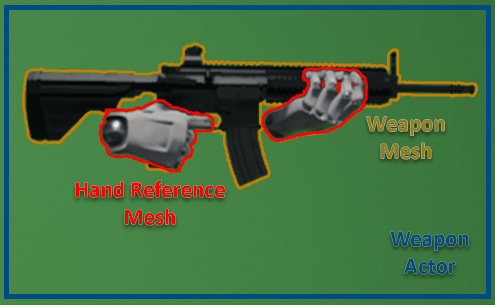
Weapon Mesh
Mesh for the weapon itself. Animations played in this mesh should be meant to be only for the weapon itself. Animations played are weapon operation animations (e.g. Firing, Reload, etc.).
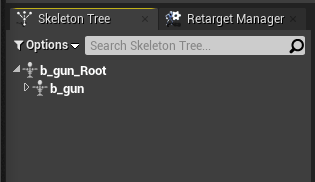
On the right is the general bone structure for the weapon mesh. Nothing special, much like other weapon meshes, has a root and bone that will contain the rest of the bones.
Hand Reference Mesh
Mesh for the hand reference. This will determine where on the weapon the player character mesh’s hands will be placed. Animations played in this mesh should be meant to be for the hand reference / hand movement only. Animations played here are weapon operation animations (e.g. Firing, Reload, etc.).
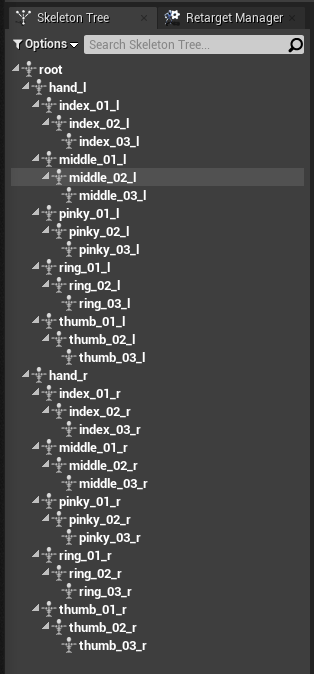
On the right is the general bone structure for the hand reference mesh. Based off the stock UE4 mannequin, all other bones are removed other than hand_l, hand_r and all their child bones.
Weapon Base Mesh
An empty Mesh for the weapon base. It is mesh dedicated on playing animations related to the weapon actor’s location / rotation in relative to the camera. Animations played here are a mix of weapon operation animations and weapon movement animations (e.g. Idle, Walking, Sprinting etc.)
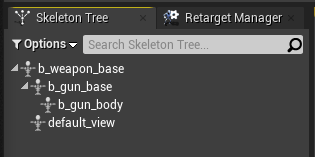
On the right is the general bone structure for the hand reference mesh. This mesh doesn’t have any textures.
Important parts to know: b_gun_base is where weapon movement animations (e.g. Idle, Walking, Sprinting etc.) are played; b_gun_body is where weapon operation animations (e.g. Firing, Reload, etc.) are played.
Implementations:
Weapon Base Mesh to Head Socket
- Attach the Weapon Base Mesh Component to the Head Socket same socket you would attach the FPS Camera.
- Every time player turns camera the Weapon Base Mesh should be synchronized to the Control Rotation.
- Note: It is ideal if you have a method of changing the distance of the Weapon Base Mesh from the Head Socket bearing the Control Rotation in mind. (see this on how to learn how)
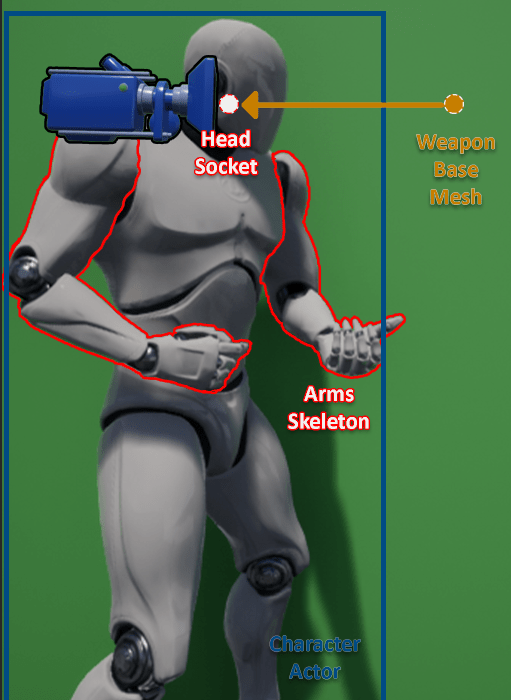
Weapon Actor to Weapon Base Mesh
- Attach the Weapon Actor to the Weapon Base Mesh. Specifically, the b_gun_body bone.
- Note: Utilizing the 2 bones mentioned regarding Weapon Base Mesh (i.e. b_gun_base & b_gun_body) allows you to mix and match animations. (e.g. Idle+Firing, Sprinting+Reloading, etc.)

Arms Skeleton to Hand Reference Mesh
- After the necessary components to make this system work are created and connected, time to make sure the player mesh’s hands are holding the weapon.
- First, data from the Hand Reference Mesh should be retrieved by the TPS Animation Blueprint (i.e. Hand Location and Rotation and the Rotation of the Child Bones).
- Next in the TPS Animation Blueprint, use Two Bone IK utilizing the Hand Reference’s Location.
- Finally, Modify the Hand Bone and its Child Bones using the Hand Reference’s Rotation (all bones).
Concept in action
Points to consider
Near Flawless Weapon Hand Placement

One of the common issues in the typical application of an FPS system is that off hand placement usually slides off and is not aligned with the weapon. This animation system mostly addresses that issue, making sure that both hands depend on the hand reference to make sure they are at the right position.
1-to-1 TPS / FPS Animations
This system makes sure that hand animation is consistent between FPS and TPS Cameras. This has the advantage of not need to play the hand animations to the character and making sure it blends correctly.
Reusable Weapon Base Animation
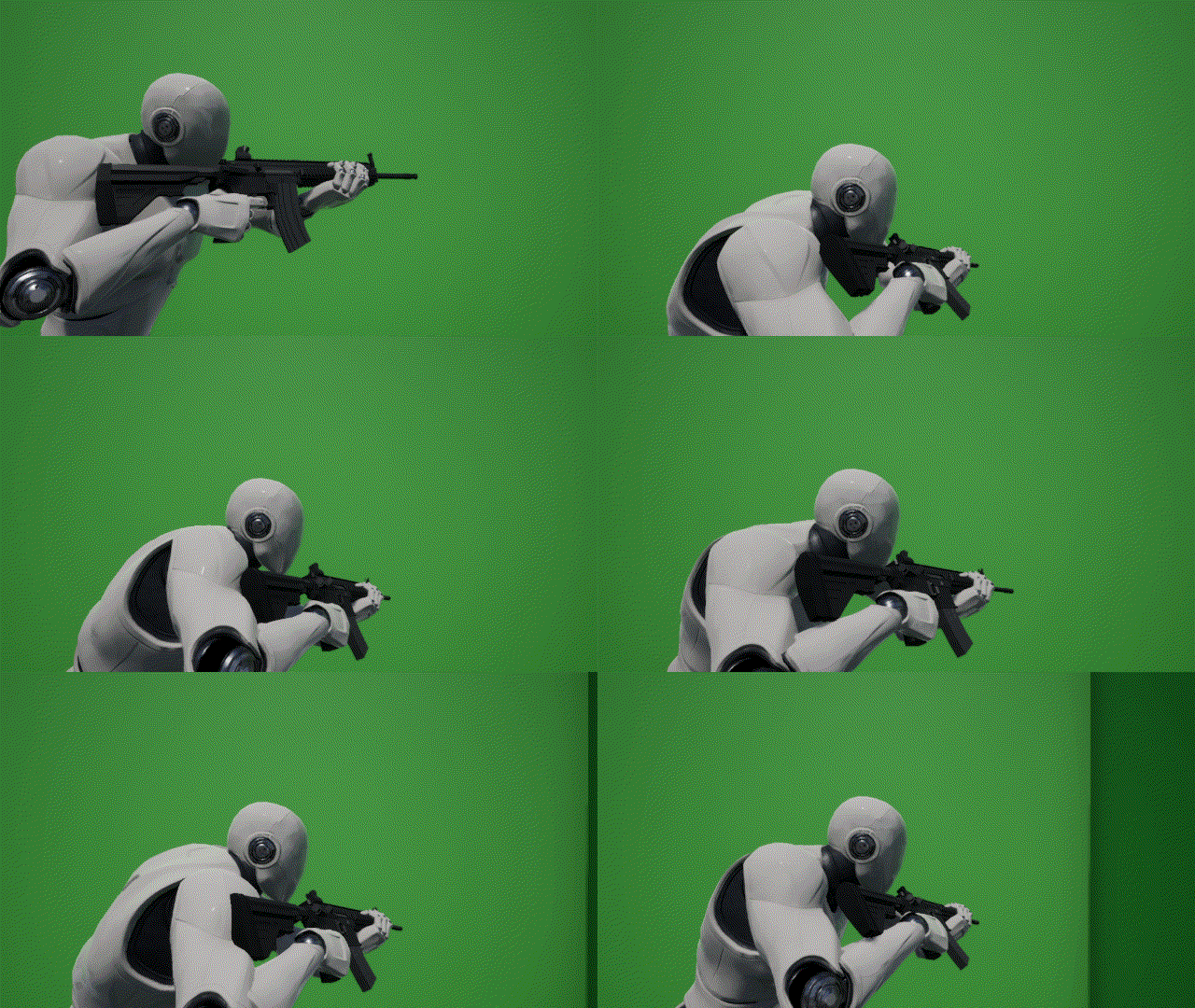
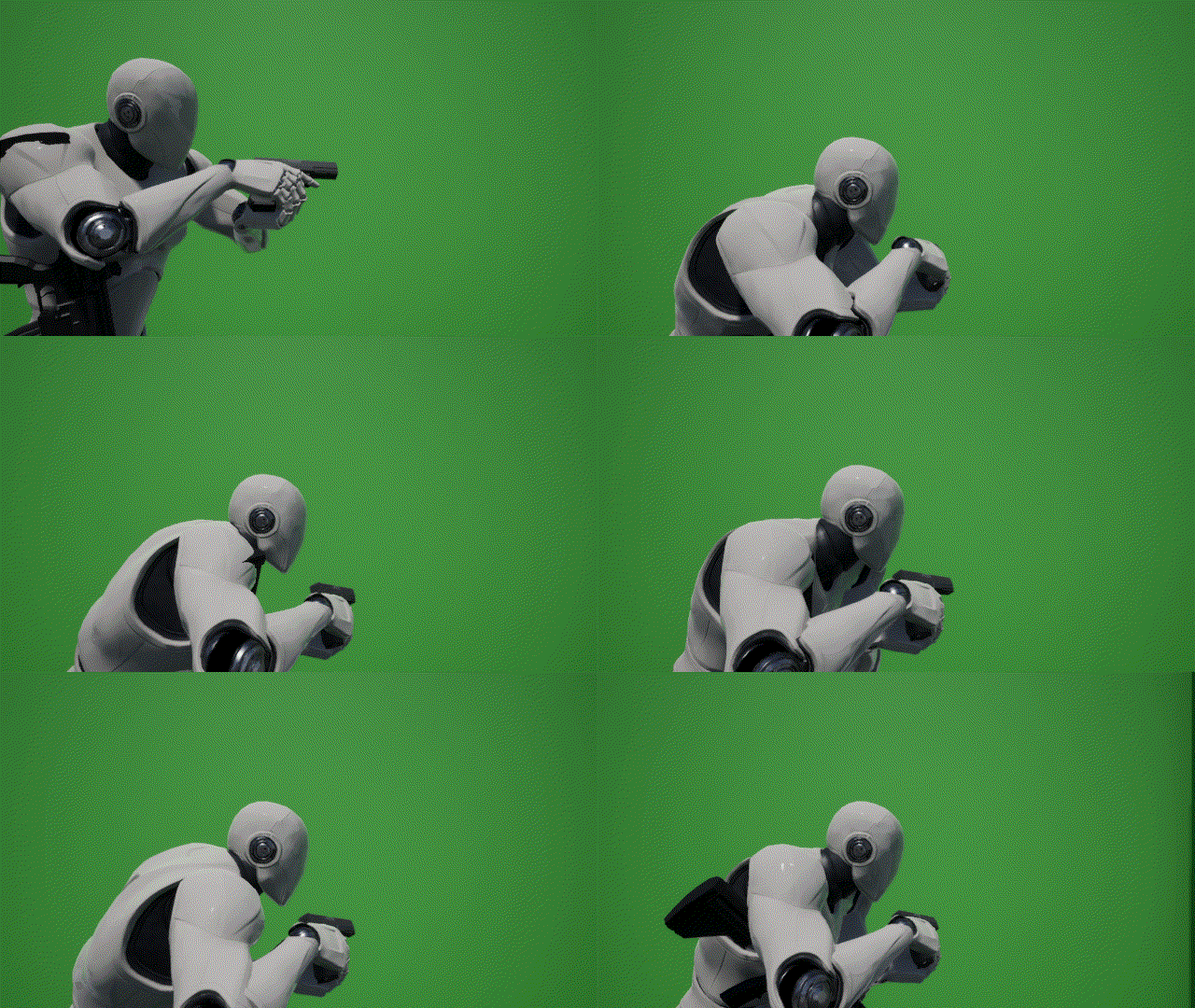
These 2 above use the same Weapon Base Animation.
The Weapon Mesh and it’s relative location / rotation form screen being separated (Weapon Mesh & Weapon Base Mesh) allows animation reuse if applicable in the Weapon Base.
ADS Weapon Operations
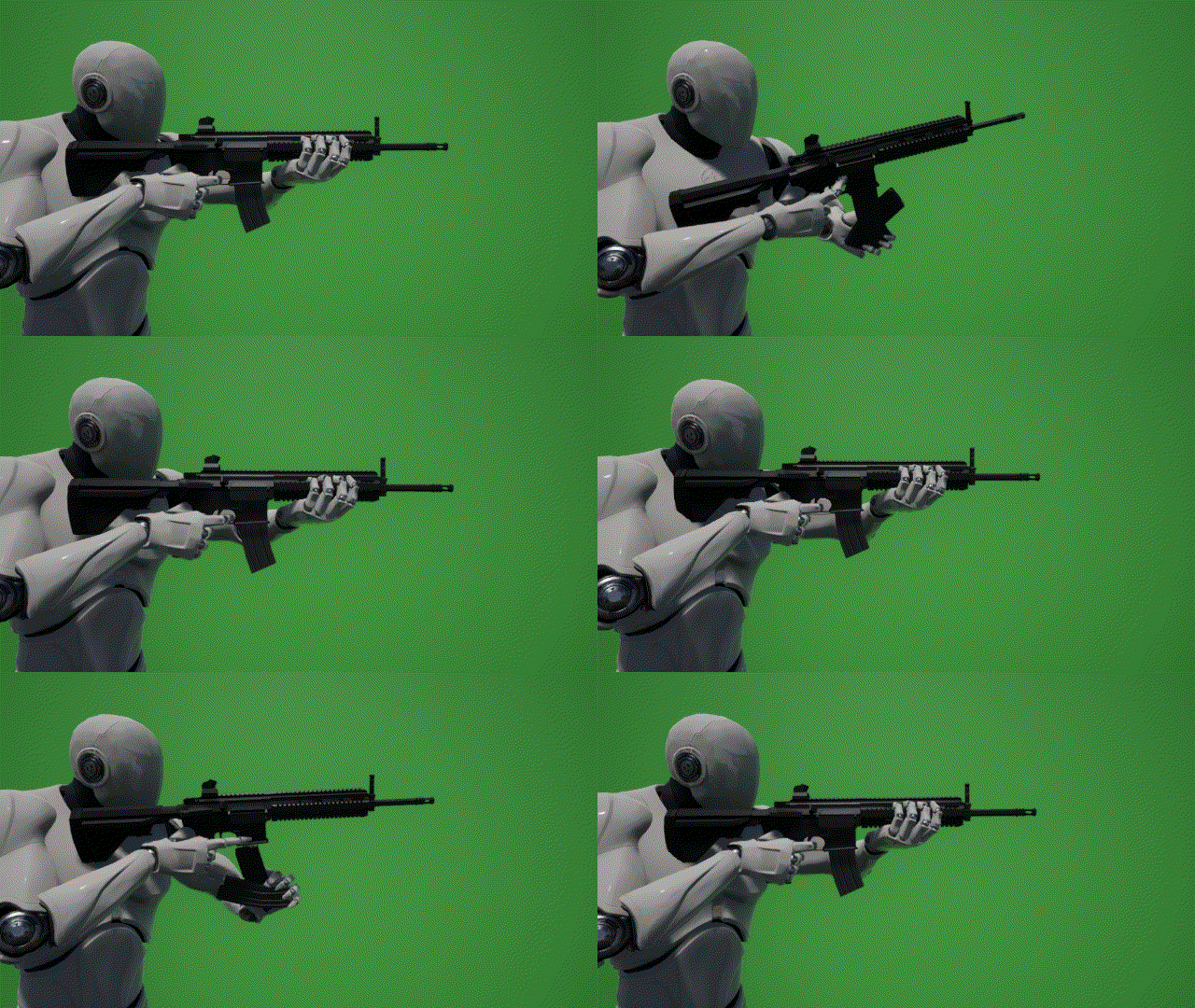
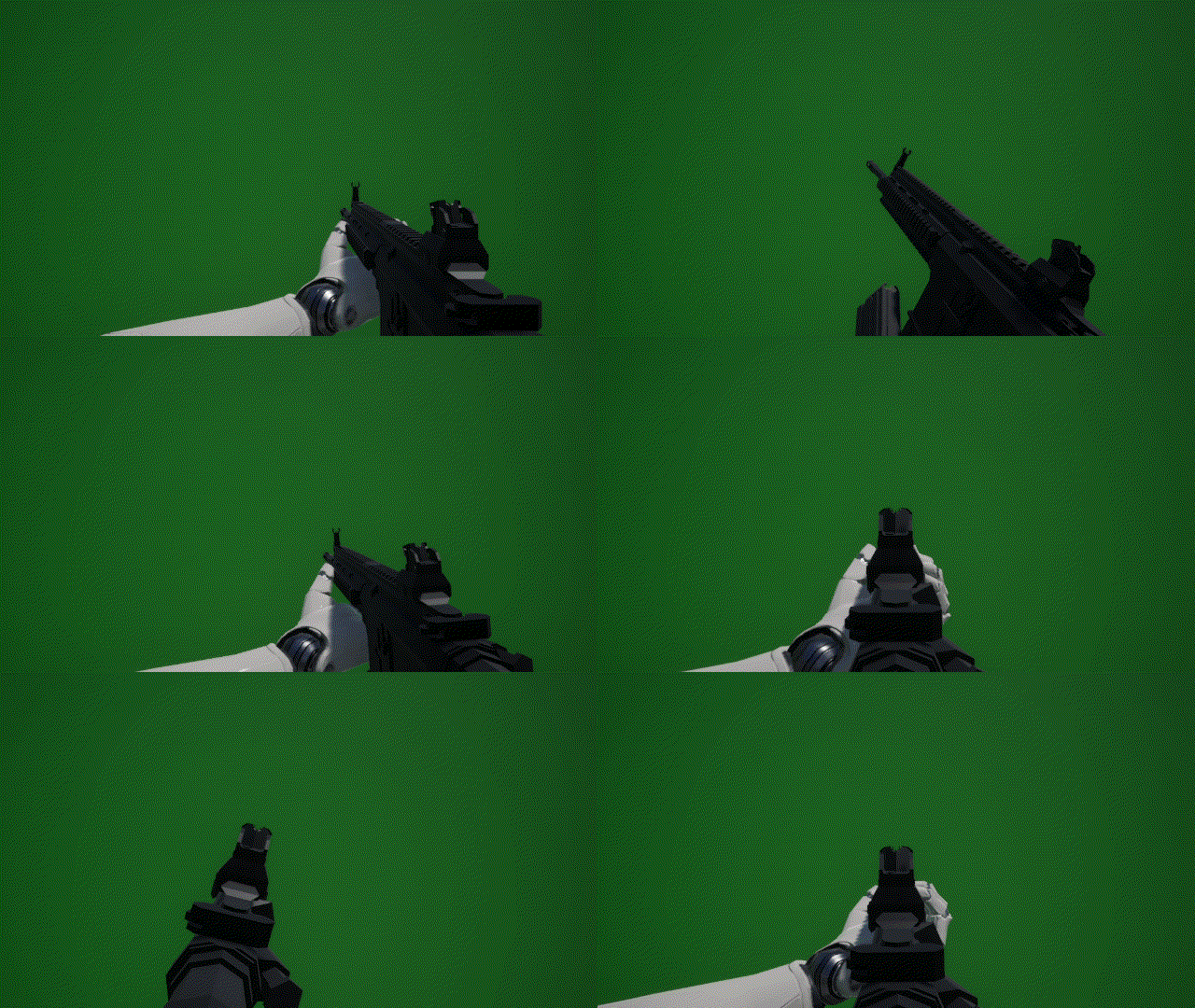
One possible feature that can come out of the Weapon Base Mesh implementation is ADSed Weapon Operations (i.e. ADSed Reload etc.). Having the Weapon Base skeleton with the b_gun_base and b_gun_body allows you to use the same animation in Idle and in ADS.
Nested Hand Reference
This animation system also allows for some kind of a “Nested” Hand Reference. What this means is weapon attachments that the player will hold or interact (i.e. Grips, Underbarrel GL/ Shotty, etc.) can have a Hand Reference inside of it. Then the Hand Reference in the Weapon Actor can take and imitate that hand reference. The effect will cascade to the Player Mesh itself making way to an accurate hand placement even in the Attachments.
Dynamic Weapon Position & Rotation Offsetting
Having the weapon position depend on the Weapon Base Mesh instead of a socket in the player mesh’s hand makes it possible to offset the weapon while still keeping the hand location accurate.
Playable Demo:
https://drive.google.com/file/d/1NDt_qWHVsQi33Z_R2I2k1uws9bBlLSjd/view?usp=share_link
Credits:
- Engine, Mannequin Mesh, & Stage: https://www.unrealengine.com/en-US/
- HK416 Mesh, AR Mag Mesh, & Bullet Mesh: https://sketchfab.com/TastyTony/models
- Weapon animations: me
 Portfolio: NGG
[…] Design References:Custom Weapon Animation Design:https://neilgilbertg.ca/2022/04/25/ue4-hand-reference-based-fps-tps-weapon-animation/Mesh outline […]
LikeLike
[…] See for more context:https://neilgilbertg.ca/2022/04/25/ue4-hand-reference-based-fps-tps-weapon-animation/ […]
LikeLike